
BIM for contractors doesn’t have to be complicated, yet at BIM Corner, we see the exact same scenario play out again and again. Contractors wants to implement BIM, but instead of a smooth process, the site turns into a chaotic mess of files, uncoordinated models, and frustrated engineers.
Here are the four most common pitfalls contractors fall into, and our proven framework for fixing the process once and for all.
1. Software Chaos
Sometimes, as a contractor, you are forced to use the software mandated by the building owner. But even when you get to choose your own, what happens? Designers propose the tools they know best, and contractors just agree. Sure, it works for the designer. But what about the guys in boots on the site?
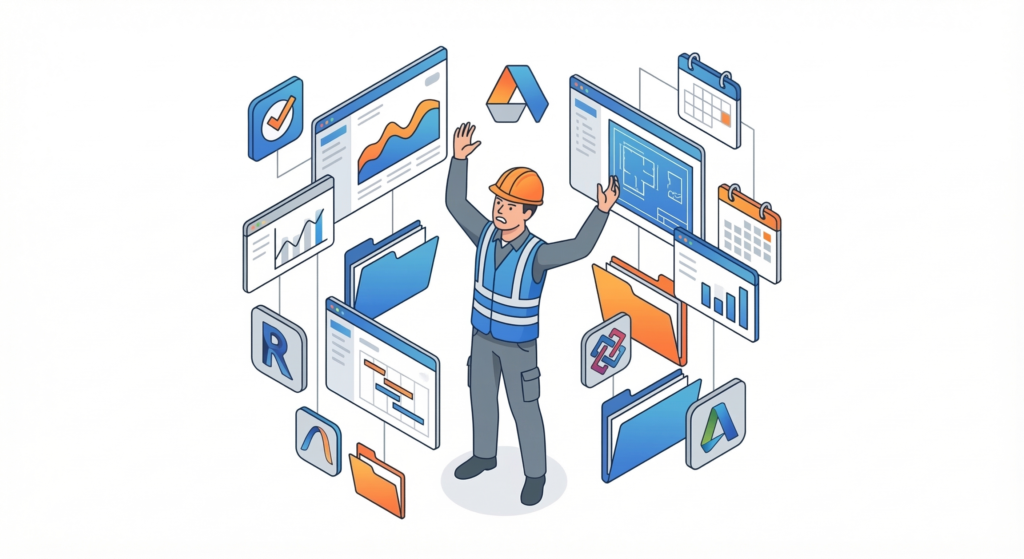
Every project ends up with a different, fragmented tech stack:
- BIM Coordination: Navisworks, Solibri, BIMcollab.
- CDE (Common Data Environment): Sharepoint, ACC, Dalux, Catenda, ProjectWise.
- Project Management: Procore, ACC, Omega, ThinkProject.
- Field BIM: StreamBIM, Dalux, Trimble Connect, Catenda.
When the software stack and workflow is so extensive and it changes from project to project, most of the team cannot afford the time to learn to use it well enough. This results in user errors, manual work and insufficient use of the software capabilities.
2. Ineffective Information Flow
Because of this software chaos, the company lacks standardized routines for information management. Project after project, you just accept what you get. You get used to it—until it breaks.
- You miss a model update because your colleague was sick and couldn’t manually move the new model from the designer's hub to yours.
- You build from unapproved documentation because the sign-off process on this specific project works differently than the last one.
- You drown in chaos. Issues are logged in the Field BIM app, files are in the CDE, tasks are in the PM tool, and the actual communication is buried in your email inbox.
3. Accepting Low-Quality Models
A construction site is a constant exercise in putting out fires. Deliveries are flowing in, new subcontractors are starting, and contract disputes are looming. And on top of that? Design and buildability errors. Nobody had time to check the models beforehand, so your team only discovers the clash while standing on-site, ready to pour concrete.
Even more challenging is discovering and solving buildability issues so that the proposed design solution won’t delay the project for weeks. You can't just blame the designer. You received the model and had a deadline to raise questions. But you didn’t have time to coordinate it, so you accepted what came. Now, expensive rework is inevitable.
4. Lack of Standards
Every time you win a new project, you start completely from scratch. The investor hands you a 50-page document with their BIM requirements, and you don't have a standardized company BIM Execution Plan (BEP) to respond with. Instead of pulling up a standard company template and just tweaking it for the new project, someone on your team spends days copying and pasting from old, irrelevant projects. Because you lack standard naming conventions, an Information Delivery Plan (IDP), or a clear Responsibility Matrix, your project documents end up looking like a patchwork.


And in the end, when things go wrong on site, whose responsibility is it?
- The designer? You didn't raise any issues when they handed the model over because your BEP didn't demand it.
- The building owner? They just dumped the model on their cloud and left you to figure it out.
- Your team? Nobody actually knows who is supposed to set up the model flow, manage access rights, or run clash detection.
Why? Because nobody had the time to create the basic foundational documents that dictate the rules of the game.
BIM for Contractors Framework
We know these headaches because we’ve been there. We’ve stood in the mud wondering how to solve the clash, and we’ve sat in the boardroom trying to automate model flows. We don’t tell you to "just buy this new software" to fix your pains. That never works. Instead, we use a 4-step framework to actually fix the process.
Step 1: Audit and Roadmap
We provide a full audit of how your company actually works. We talk to your site managers, workers, and IT department to map out your current software usage, licenses, and information flow. Once we see the bottlenecks, we build a clear roadmap.
Step 2: Establishing the CDE and Information Flow
We use the audit to choose the best software setup for your company. We start by establishing a Common Data Environment (CDE) that actually fits your current project. Then, we set up the necessary automations. You should never have to manually drag and drop files between systems again—it should happen in the background.
Step 3: Creating Templates
Starting a new project from scratch every time is a massive waste of resources. We help you build standard templates that take your company's specifics into account, saving you hours at the start of every job. We set up:
- A standardized BIM Execution Plan (BEP) template.
- Software setup guides and naming convention manuals.
- Internal issue management workflows and QA/QC checklists.
Step 4: Knowledge and Process Transfer
Our goal isn't to make you dependent on us forever. Once the systems are running, we transfer the knowledge to your team:
- Designated BIM Manager: He knows all the "why" behind the decisions - Information Management principles, automation rules, and system architecture. He knows the system and can adapt it when principles change.
- BIM Coordinator: They are capable of checking buildability issues in the models, quantity take-offs, and running clash detection.
- Foremen & Site Staff: We run practical workshops on navigating the CDE and Field BIM apps, so they can actually use the tools on site without frustration.
Regain control over your BIM for contractors processes
At BIM Corner, we step in to take this heavy lifting off your shoulders. We can help you establish the rules and principles that actually make BIM for contractors work. Let's stop the frustration of workers on-site and regain control over the chaotic and unpredictable construction process. Once you grasp the topic, you will also finally understand how to price BIM requirements accurately in your tenders.
Sounds interesting?
Let’s talk about your current BIM challenges. No sales pitch, just a practical look at your processes. We offer a free, no-obligation 30-minute consulting session.