

The start of each project is a high-pressure environment where every decision carries long-term financial consequences. Adding a “model-based” delivery method – where the 3D model, not the 2D drawing, serves as the primary source of truth – adds a layer of complexity that can either streamline production or create a digital bottleneck. There is no “one-size-fits-all” solution; every organization has a different digital maturity, and every project has unique constraints. What works for a high-tech hospital may be overkill for a warehouse. However, regardless of the project’s scale, there are common factors you should consider before deciding to go model-based to save time, money, and frustration in later stages.
What do we mean by a “Model-Based” Delivery?
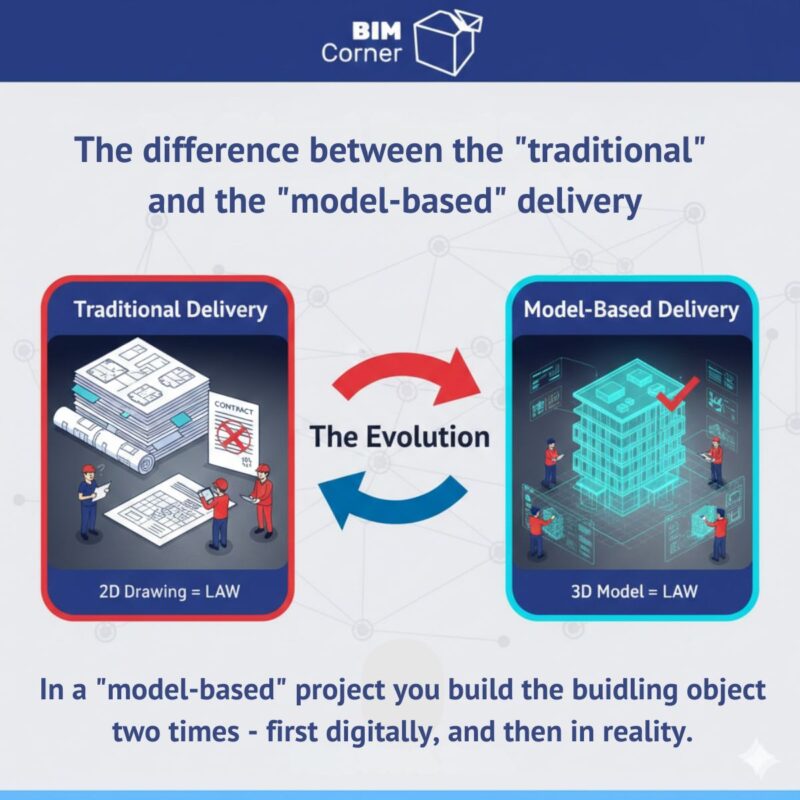
In a traditional project, the “Contract Documents” are 2D drawings like PDFs or paper. If there is a conflict, the drawing is the law. In a Model-Based Delivery, the 3D BIM model becomes the central legal and technical reference. Instead of site teams trying to interpret 2D sections to figure out complex junctions, they query the model directly for dimensions, quantities, and clearances. It is a move from “drawing pictures of a building” to “building the project digitally” before a single shovel hits the dirt.
Table of Contents
1. Establishing The "Digital Contract"
In a traditional setup, the contract is built on a stack of 2D PDFs. When you transition to a model-based workflow, the hierarchy of documentation must be explicitly redefined. If the model says one thing and a schedule says another, you must know which one governs. You aren’t just changing tools; you are changing the legal foundation of the project.
In a model-based world, the model is a living database. If you don’t explicitly state in the BIM Execution Plan (BEP) or the Main Contract that the model takes precedence over a 2D PDF export, you create a massive loophole for disputes. You must define which document “wins” in a dispute. A typical grounded hierarchy could look like: Main Contract → BIM Execution Plan (BEP) → Federated Model → Extracted 2D Drawings.
Consider a complex mechanical room in a hospital project. A 2D section might suggest enough head height for a duct, but the 3D coordinated model shows a clash with a structural beam. If the contract says “2D drawings govern,” the sub might install based on the flawed 2D view and file a variation claim. A digital contract mandates the model as the “Source of Truth,” forcing the sub to follow the coordinated 3D data and catch the error before it’s built.
Just a reminder: the BIM Execution Plan (BEP) should not be a standalone document sitting on a shelf; it must be a live contractual appendix. It needs to address data ownership, intellectual property, and the legal status of the model. When the model becomes the contract, the quality of the data becomes as important as the quality of the concrete.
2. Defining Requirements
Especially in a model-based project, “vague requirements” are the primary driver of wasted man-hours. ISO 19650 provides a targeted framework called the Level of Information Need to help structure these requirements. Instead of using blanket terms like LOD, it asks us to define the quality, quantity, and granularity of data based on the specific purpose it serves. This prevents “BIM for the sake of BIM”.
ISO 19650 separates the “visual” (geometrical) from the “data” (alphanumeric). For example, on a large-scale infrastructure project, the Exchange Information Requirements (EIR) might specify that structural piles only need a “Low” geometrical level (simple cylinders) but a “High” alphanumeric level (required load-bearing capacity) for the tender stage. This allows contractors to price the job accurately without the designer having to model every specific reinforcement bar before the contract is awarded.
Don’t forget about the requirements for the handover. One of the most common pitfalls is failing to define what “final delivery” looks like. Contractual requirements often vaguely ask for an “As-Built BIM model,” but without specifics, this is a recipe for dispute.
In the end, the requirements must be specific to the project’s end goal – whether that is automated quantity take-offs or a digital twin for the owner.
3. Evaluating Internal Competence
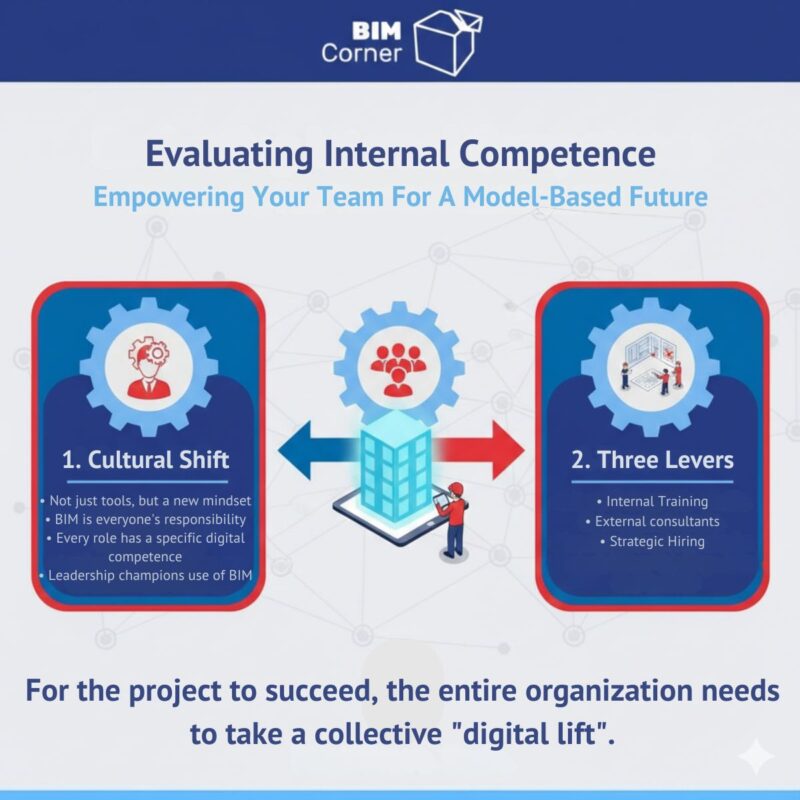
Technology is only as effective as the people clicking the mouse or holding the tablet. Moving to a model-based workflow requires a cultural shift more than a technical one. A common mistake is assuming that “BIM” is the responsibility of a dedicated department; in reality, the BIM Coordinator is a facilitator, not a producer. For the project to succeed, the entire organization needs to take a collective “digital lift”.
The goal isn’t to turn everyone into a software expert, but to ensure every role has the specific digital competence required for their tasks. If a Site Manager cannot navigate a model to verify a reinforcement layout, the digital thread is broken. Organizations have three main levers to bridge this gap:
- Internal training: Excellent for long-term growth but requires a structured roadmap. Training should be role-specific; a Project Director needs to know how to extract risk metrics, not how to draw a wall.
- External consultants: These can jumpstart a project when the internal team is stretched thin, but they must be managed so that knowledge is transferred to your staff.
- Strategic hiring: Dedicated specialists are often necessary for model-based delivery. These hires should be “hybrid” professionals who understand both the IFC schema and physical building systems.
Model-based site meetings must replace traditional drawing reviews. When leadership navigates the 3D model on a large screen to discuss the schedule, it sends a message that the model is the source of truth. If leadership doesn’t use the tools, the rest of the organization won’t either.
4. Auditing Existing Processes
Before investing in software, you must perform a cold, hard audit of your current workflows. You cannot automate a broken process. This requires a critical look at how information actually flows through your team – not how the manual says it should, but how it happens in the heat of a deadline.
The core of this audit is mapping the “Information Exchange”. Follow a single piece of data – like a structural beam size change – from the engineer’s desk to the procurement order and onto the construction site. If data is manually re-entered into Excel or printed as a PDF to be entered into another system, you have a “leak”. Every manual intervention is a point where the project can lose integrity and return on investment.
Consider your Approval and Review cycles. If your quality management system is still built around “signed drawings” and requires physical signatures on 2D printouts while your design lives in a 3D CDE, you have a process conflict. You must decide whether to update to digital sign-offs or accept that redundant paperwork will slow the project down.
The goal of auditing your processes is to reach operational alignment. It is far better to run a successful “hybrid” project where you know exactly which parts are 2D and which are 3D, than to claim you are “all model-based” and then watch the project fail because your internal information flow was never redesigned to handle digital data.
5. Researching the Supply Chain
Your digital strategy is only as strong as your weakest subcontractor or supplier. While you might have internal capability, you must be ruthlessly realistic about the supply chain. If suppliers cannot open models or extract metadata for fabrication, the digital thread snaps. Research means moving beyond “yes/no” checkboxes to understand their practical daily workflows.
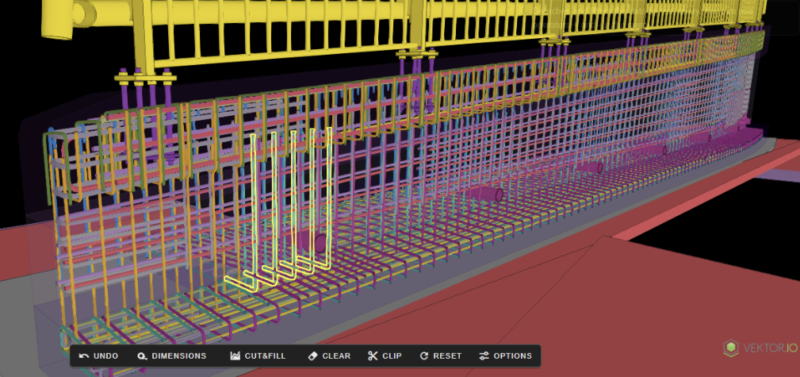
A prime example is 3D reinforcement without 2D drawings. This eliminates paper-bending lists by embedding bar marks and shape codes in the 3D geometry. This reduces manual drafting errors on paper. However, if your fabricator’s machinery only accepts manual input from a printed list, your 3D model becomes a roadblock. You must verify that the supplier can use IFC and feed BVBS codes directly into their machines. If they can’t, your team will have to manually “back-draft” 2D lists, which is where the ROI often goes to die. A model-based project doesn’t mean every trade must be digital, but it means you need a clear plan for how data transitions to whatever format each specific trade needs.
6. Standardizing the Software Ecosystem and CDE
Once you have audited your internal processes, the next step is to map your software tools to those specific tasks. The goal is to align your “tech stack” with the information flow you identified in point 4. Because there is no one solution that fits every project, you must build an ecosystem where different tools talk to each other seamlessly. You don’t need every subcontractor to use the same software brand, but you do need to ensure that they can share information without any data loss.
A practical software map should track how data moves from design into production and to as-built documentation. For example, if your audit showed that procurement is a bottleneck, you need to ensure your modelling software can export data in a format that they can actually read.
Central to this is the Common Data Environment (CDE). As defined by ISO 19650, the CDE is the “single source of truth” for all project information. ISO 19650 provides a framework using specific Status Codes. This prevents site errors, such as a foreman accidentally building from a “Work in Progress” (WIP) model that hasn’t been coordinated. Interoperability is the glue; following OpenBIM principles, you should use IFC (Industry Foundation Classes) for exchange. This allows you to federate different models from various software (Revit, Tekla, etc.) to perform automated clash detection. Remember that the “best” software is the one your team and supply chain can actually use; if it is too complex, they will revert to emails and the “Single Source of Truth” will vanish.
7. Realigning the Budget
Moving to a model-based workflow isn’t cheaper, especially on your first few projects. While the industry talks about “BIM ROI,” the initial transition can be more expensive than a traditional drawing-based project. You are investing in a fundamental change in how your company operates.
Upfront costs are significant, including specialised courses, hiring BIM leads, and infrastructure like CDE licenses, high-powered hardware, and site-wide Wi-Fi. Trying to run a model-based project on a “2D budget” leads to cutting corners and a model no one trusts.
You must acknowledge front-loading; you spend more money during the design and coordination phase. You are paying to “build it twice” – first virtually to find clashes, then for real on-site. This reduces expensive rework later, but requires the Project Director to be comfortable with a “heavy” design budget. Ultimately, the budget is a risk management tool to buy down the risk of site delays, material waste, and litigation. Be honest with stakeholders that the first project is a learning curve.
Conclusion: Starting Where You Are
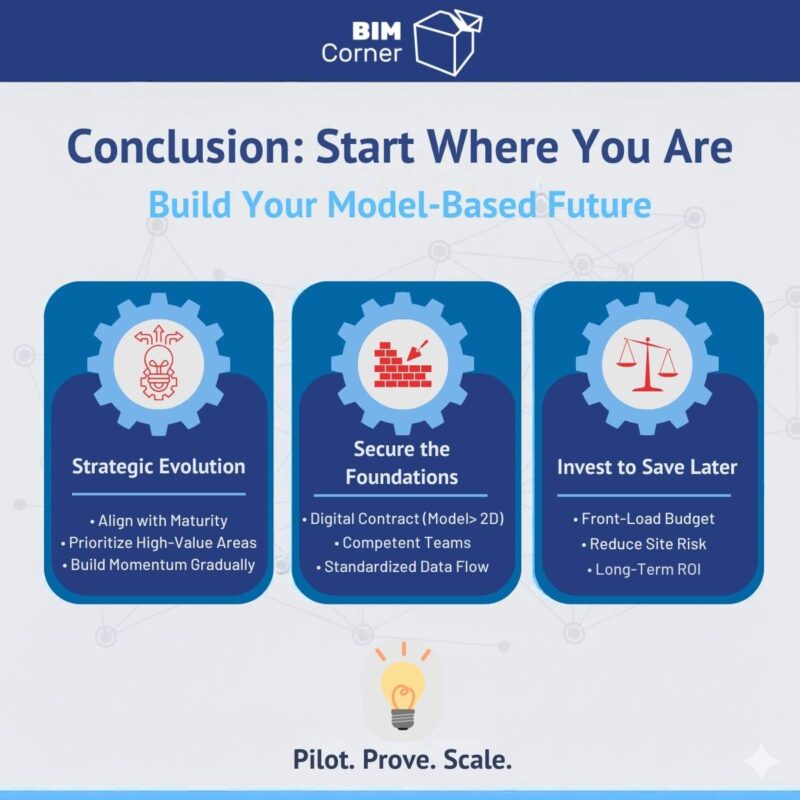
Transitioning to model-based delivery is a strategic evolution. Every organisation has a different digital maturity, and your plan must reflect that. Success is found in securing the legal, human, and technical foundations so that data flows reliably. If a massive overhaul is out of reach, start small. You don’t need to implement full ISO 19650 across every trade for a pilot. Instead, focus on high-value “bottlenecks” like MEP or structural steel coordination. Proving value in these areas builds the buy-in needed for larger shifts later. While the first projects may be more expensive, this “digital lift” pays dividends by reducing site-based rework and litigation. Align your expectations with your current maturity to protect margins while building a scalable foundation.
👉 How about you? Do you have experience with model-based projects? Share your experiences in the comments – let’s learn from each other and move the industry forward.