
Imagine a BIM engineer sitting in a comfortable, climate-controlled office, clicking away at a flawless 3D model. Every single millimeter is accounted for in a clean, digital environment.
Now look out at the actual construction site. A surveyor is standing in a muddy ditch under the pouring rain, trying to make those perfect digital lines fit the unpredictable reality of the earth.
When these two worlds fail to communicate, projects lose money and time. If the design office doesn’t account for real-world geographic constraints, the surveyor inherits a model that is essentially lost in space. Bridging this gap requires connecting BIM directly with Geographic Information Systems (GIS). In this article, I will give you some tips about how to do it on a model-based design&build infrastructure project.
Micro Detail vs. Macro Context
First, to make these systems work together, we need to understand how differently they view the world.
BIM is the micro. It handles the high-precision details of individual components, like the exact dimensions of a bridge pylon, the reinforcement steel inside a wall, or a specific drainage pipe. GIS is the macro. It manages the massive geospatial surroundings, providing the actual home for the project within a highway corridor, an entire valley, or a city grid.
Without a deliberate strategy to link them, you end up with isolated teams, conflicting data, and a design that doesn’t fit the landscape. Our goal is, in theory, simple: make BIM and GIS work in practice, during design, construction, and operation. How to do that? Let’s have a look at some important points that we need to take into consideration.
Table of Contents
1. The BIM&GIS Integration Starts With The Contract
Successful BIM&GIS integration is not an afterthought; it must be planned from the very beginning. But first, there need to be requirements in the contract for that data integration. As I see it, one of the biggest shifts in modern project delivery is making the 3D model the binding legal document. In a traditional setup, if a discrepancy arises between a 2D PDF and a 3D model, the PDF usually wins. In a model-based project, the model is the authority.
It is why it is extremely important to think through the digital requirements and create realistic Exchange Information Requirements EIR (you can read more about EIR here). On my latest project, the client set very specific requirements targeting GIS, like for example:
- „GIS data must be capable of being visualized alongside discipline models and base models within the interdisciplinary model.”
- „All Discipline Models must be established with a level of quality that, in principle, allows them to be used directly as the setting-out basis for construction.”
- “Machine Control: Model data shall be used directly for machine control and construction.”
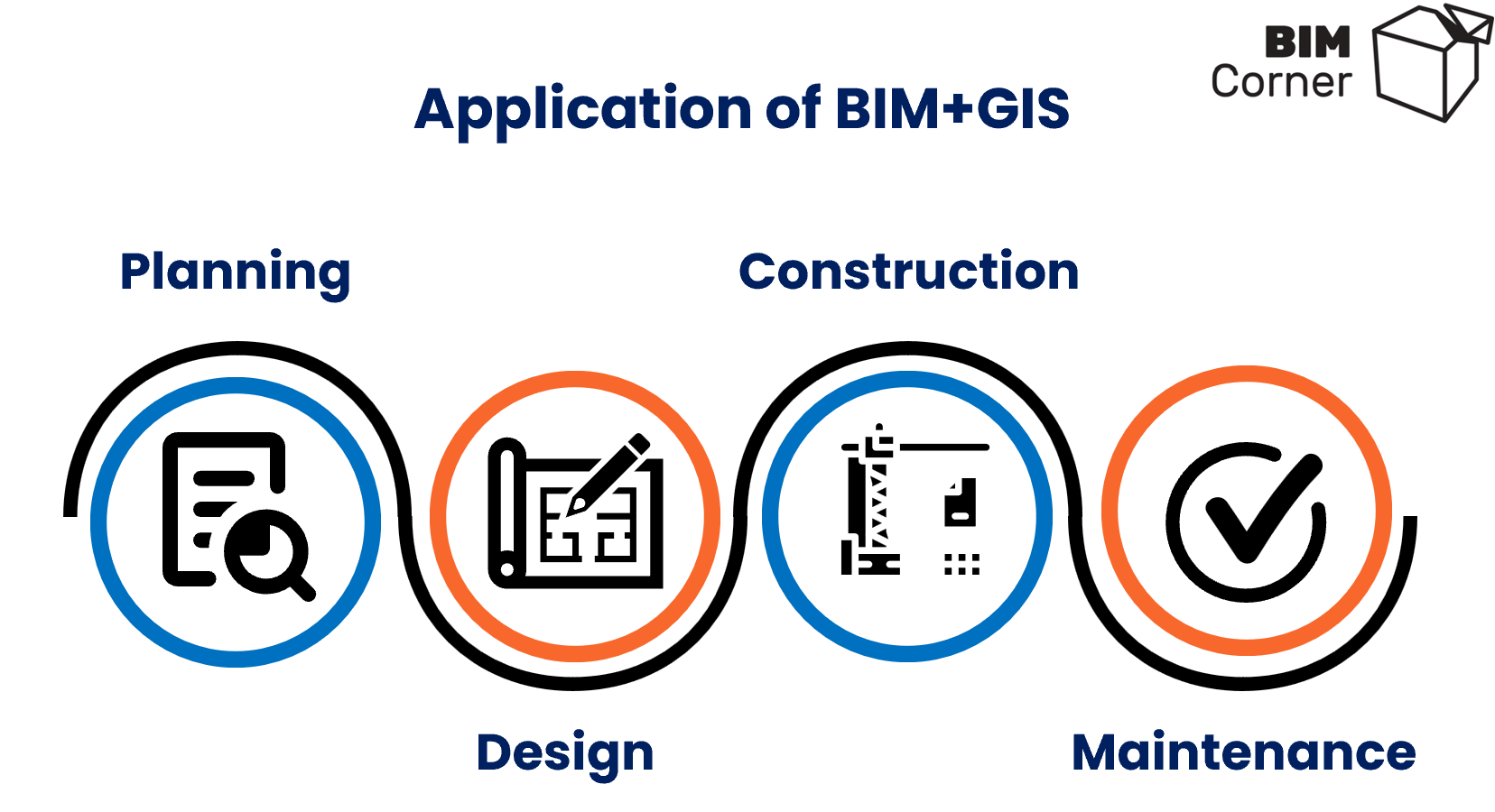
Such requirements from the beginning help the contractor to plan and price use of BIM and GIS during construction. In the end, both BIM and GIS are being used throughout the whole project life cycle – from planning, through design and construction to maintenance.
2. Quality Assurance Responsibilities
When the model is the contract and will be used on the construction site, Quality Assurance (QA) changes completely. You are no longer checking line weights on a 2D PDF drawing sheet, but in a way, you are auditing a database. There should be a control to assure that each model has required metadata and additional documentation.
In addition to what we are checking, it is necessary to agree on who is doing that control.
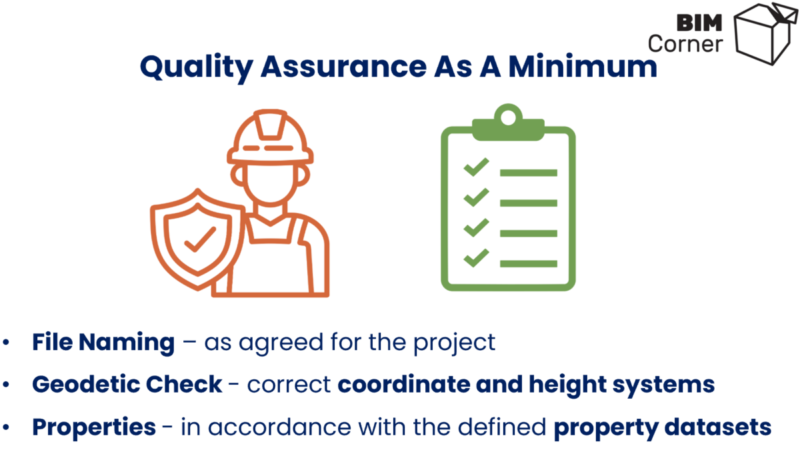
For example, on my last project, the Discipline Lead from the designer held the primary responsibility for quality-assuring discipline models prior to delivery. Before delivery, all discipline models had to, at a minimum, be quality-assured against the following points:
- File Naming: Ensure filenames comply with the descriptions as specified in BEP
- Geodetic Check: Verify that the delivery is in the correct coordinate and height system
- Properties: Ensure all agreed-upon metadata and attributes have been applied to the models in accordance with the defined property datasets.
3. Locking Down Coordinates From Day One
In theory, it is a simple thing, but anyway, worth remembering: every design model must drop exactly where it belong in the real world. For BIM and GIS data to overlay perfectly, everyone on the team must use the same coordinate setup.
For example, on major Norwegian infrastructure projects around Oslo, contracts explicitly mandate the EUREF 89 NTM zone 10 coordinate system combined with the NN2000 height system.
Norway Transverse Mercator (NTM) uses 20 narrow zones across the country. This keeps scale distortion so small that field crews can trust digital measurements down to the millimeter. On the other hand, NN2000 provides a highly accurate vertical datum, which is vital when you are dealing with gravity-fed pipelines, tunnel elevations, or bridge alignments.
By mandating these systems in the contract, the responsibility for data transformation shifts to the party providing the data. It ensures that the BIM model lives inside the GIS environment with the necessary accuracy.
4. Choosing Formats And Making Them Cooperate
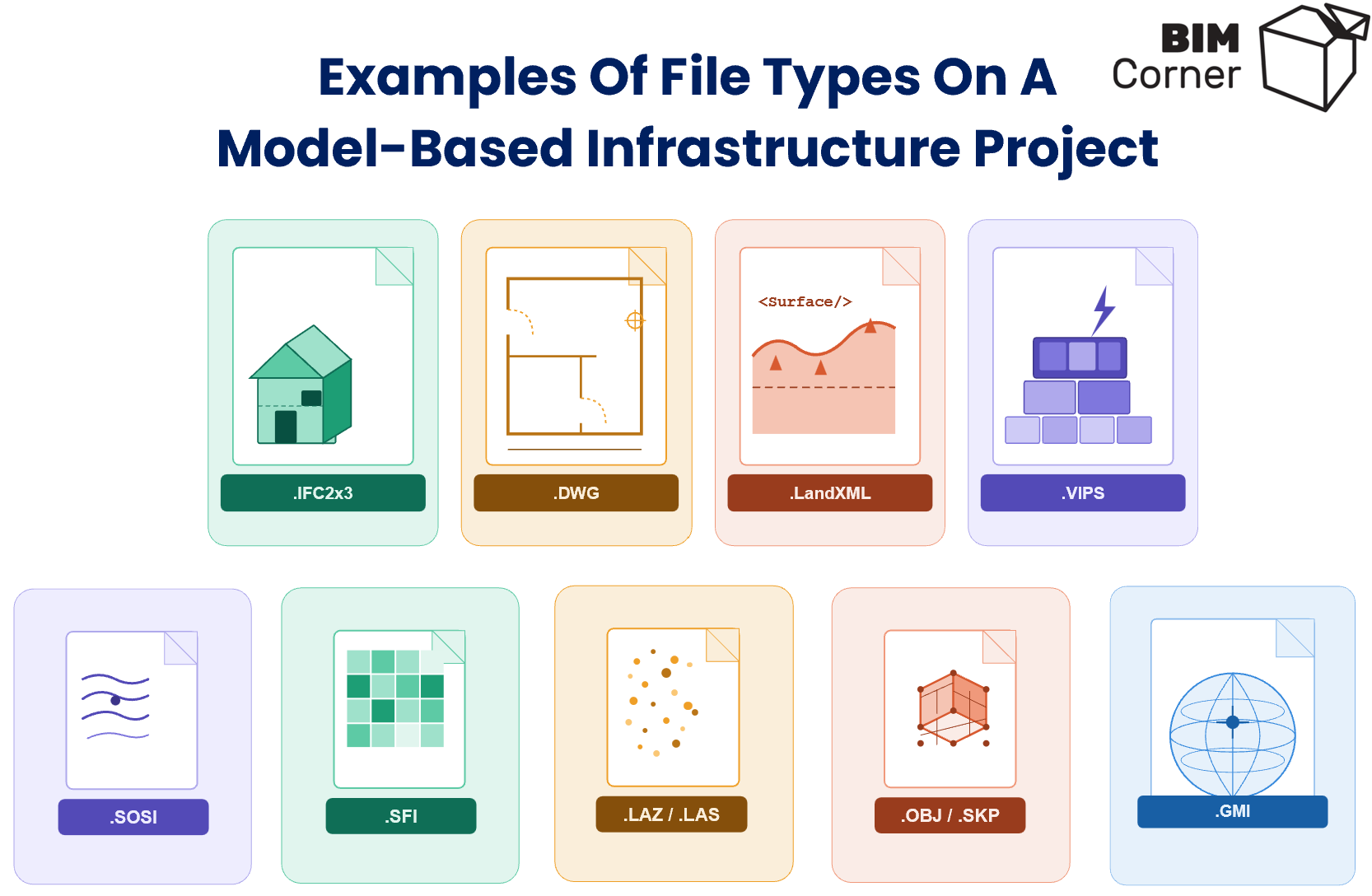
Software incompatibility is a massive headache because BIM and GIS platforms naturally speak different languages. The only way to beat this is by demanding open, vendor-neutral formats. For instance, .ifc serves as the legal baseline for cross-discipline coordination and running automated clash detection. Ifc. Is also a standard exchange file for all project stakeholders.
Unfortunately, not all GIS data can be used with the .ifc files. In addition, a functional data stack relies on a few specific file types, like for example:
- Surveyors often use .dwg for surveying.
- For surveyors to feed geometric data into total stations and GPS-guided heavy machinery, they need LandXML.
- For the earth work, surveyors (in Norway) rely on native formats like Gemini (.gmi) and .sfi for complex terrain modeling and fast volume calculations.
- For reality capture, formats like .laz and .las handle point cloud data from drones and LiDAR scans.
- Finally, .skp, a file used in SketchUp, provides lightweight visualization of heavy drone scans in the model viewer.
Once we create an overview of the main file formats, we need to create the data flow. This is a huge topic, and we could create a separate series of articles on that challenge. At the same time, it will always be project-specific, since different companies use different software.
5. Choosing The Software Solutions
Unfortunately, at the moment of writing this article (June 2026), no single software platform can do everything. Instead, many projects must use various software, where specialized tools handle specific tasks.
I will not list them with names, as there is many different software programs on the market, and the solutions are rapidly evolving.
- To start with, one model viewer often acts as the place where designers upload their interdisciplinary models. It lets every stakeholder view the latest models and access field data.
- Depending on the solution, we might need a separate CDE-platform for non-graphical data.
- Then, we need to pair this with a GIS solution to analyze the project against its broader geographic and environmental surroundings.
- In addition to that, we might need a platform for drone scans – to see orthophotos, point clouds and meshes from drone flights.
- For real-time machine control monitoring, we need a solution that provides models to the machines in the field.
- And then there should be a tool for surveyors to build terrain models and calculate earthwork volumes.
These are just examples of some tasks and software that need to handle them. Of course, we need to look at specific needs for every project. What I want to underline here is that we need to look at the whole picture – how the data flows from design to construction to operation, integrating BIM and GIS, with the tools we choose.
6. Bringing The Model To The Site
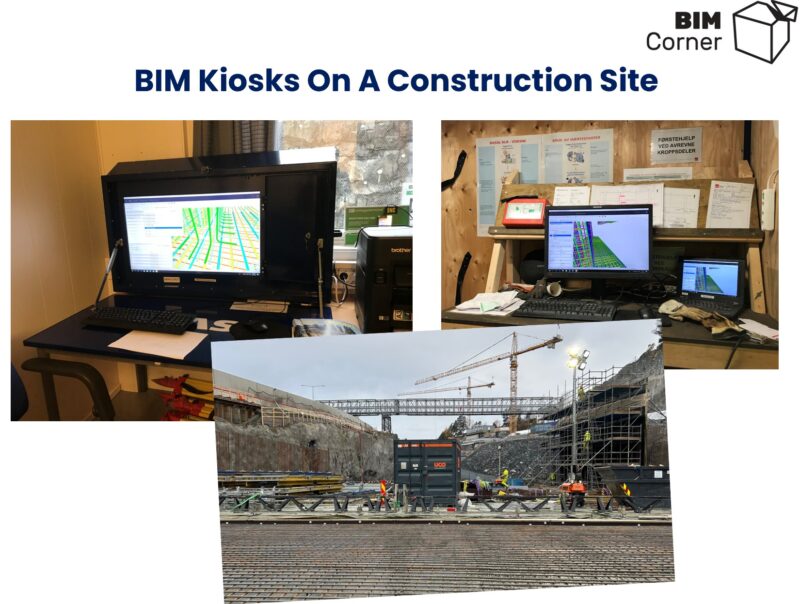
The most detailed 3D model in the world is useless if the worker on the site can’t see it. On model-based sites, we can use BIM kiosks to transfer the information out to the field. BIM kiosks are basically containers equipped with computers and model viewers. They should be placed as close to the working area as possible. (Read more about BIM kiosks here). In addition to them, field crews also carry iPads to check models directly on site.
A different data workflow is necessary for machine control. Here, designers export DWG or LandXML files, which can be used, after some work by surveyor, directly in the machines. The machine operator digs exactly to the digital lines and points. This dramatically reduces risk of excavation damage and need for maintenance of field markers/stakes. In addition, it gives better control of utility routes throughout the entire project.
7. The Modern Surveyor As A Data Manager
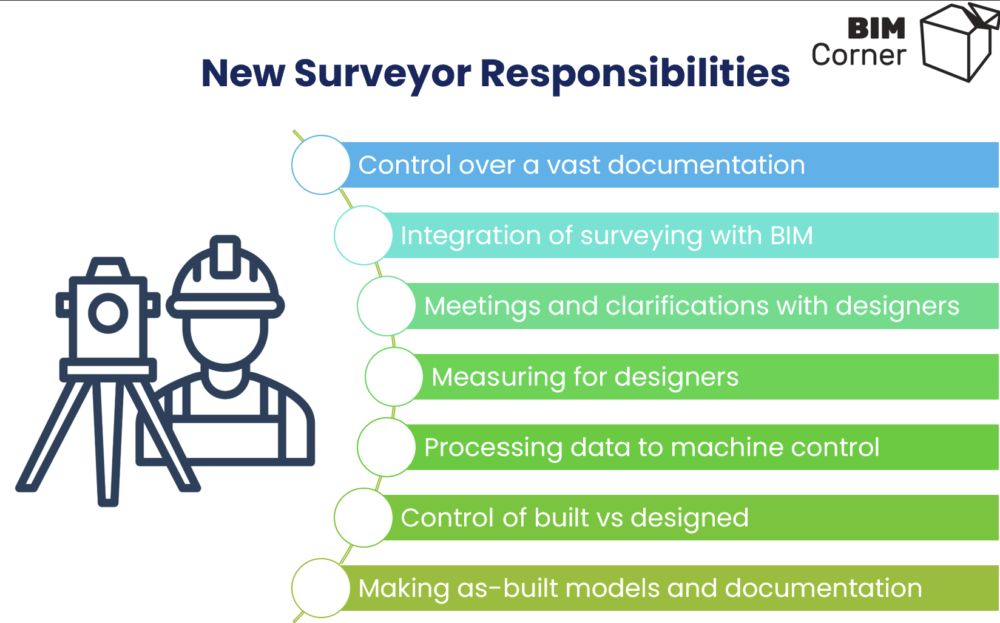
As BIM and GIS merge, the surveyor’s job is changing completely. They aren’t just the person holding a total station tripod anymore. In a model-based project, a significant part of data management is on surveyor’s head.
This can be a topic for a separate article. But in simple words, in addition to his traditional responsibilities, a modern infrastructure surveyor is responsible for merging field survey data with complex design models, directing the live data streams that feed machine control systems, running immediate checks to catch errors before they get build, and creating the final as-built digital models that asset owners will use for the facility maintenance.
Summary
None of these things work without people actually talking to each other. The coordinate systems, the open formats, the software solutions and BIM kiosks – they’re all just tools. What makes or breaks a model-based project is whether the engineer behind a desk and surveyor out in the field communicate well and understand each other needs. If they don’t, the gap between the model and the site reality will not merge, which will generate losses in time and money.
Therefore, I recommend you first get the basics right – like setting requirements, a shared coordinate standard, formats everyone can open, and establishing a genuine line of communication between the office and the field. When the basics are in place, it will be much easier to set up the rest. In that way, we can not only deliver projects model-based, but also work in a more efficient way, and ultimately, deliver better projects.
👉 How about you? Do you have experience with BIM and GIS on model-based projects? Share your experiences in the comments – let’s learn from each other and move the industry forward.