


If you work in Revit, this is one of the most useful practical questions you can ask. Together with Gavin Nicholls, I put Dynamo and Grasshopper through ten rounds focused on real BIM automation tasks. Gavin entered the ring representing Dynamo, while I defended Grasshopper.
This was not a theoretical comparison of features.
We opened both tools, tested workflows side by side, discussed where they become difficult to use, and scored them based on their performance in real AEC work. The purpose was not to prove that one tool is always better. It was to understand which tool works best for a particular problem.
Table of Contents
Here is the page for those who want to watch the full recording and download the bonus materials, including Dynamo and Grasshopper scripts:

Round 1: Complex geometries
This is the environment in which Grasshopper feels most natural. It handles complex geometry, non-linear forms, meshes, NURBS, terrain models, voxel-based workflows, and large geometric datasets more comfortably.
Dynamo can also create and process geometry. The problem appears when the scale and complexity begin to increase. Dense meshes and computationally heavy geometry require much more careful optimization, and the workflow can become fragile.
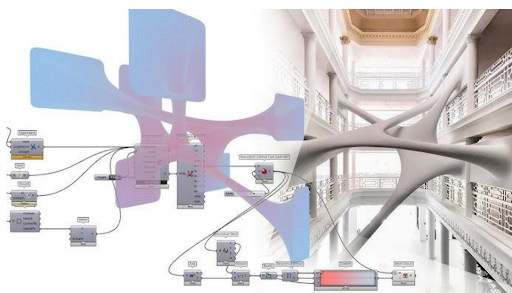
Grasshopper benefits from Rhino’s geometry engine and from data trees that are well suited to handling large geometric structures. For freeform architecture, infrastructure geometry, terrain studies, city models, and algorithmic design, I would open Grasshopper first.
Winner: Grasshopper
Round 2: Revit data handling
Dynamo speaks Revit’s language natively. It is particularly effective when the task involves collecting Revit elements, filtering them, reading parameters, modifying values, and processing lists of model data.
During the battle, we demonstrated a simple but practical workflow:
- Get all sheets from the Revit document.
- Remove sheets that cannot be edited.
- Convert their names to uppercase.
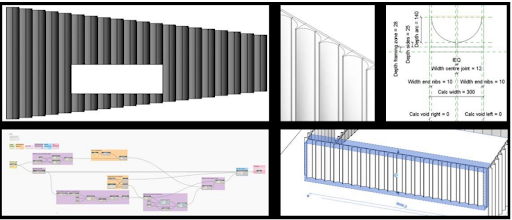
Grasshopper can complete the same task through Rhino.Inside.Revit, but it requires more setup. You need Rhino.Inside, additional data management, and a better understanding of how Revit data is transferred into Grasshopper.
I had to concede this round. When the task is mainly about reading, filtering, and writing Revit data, Dynamo is usually the more direct choice.
Winner: Dynamo
Round 3: User interface
Dynamo is approachable for someone who already works in Revit. Its interface feels familiar, and the first steps can be easier for a beginner.
However, the difference becomes more visible when scripts grow.
Grasshopper provides better control over groups, colours, clusters, component appearance, inputs, outputs, and the overall visual structure of a definition. Large workflows can still become messy, but Grasshopper gives you more tools to keep them readable.
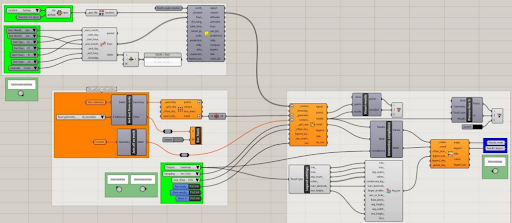
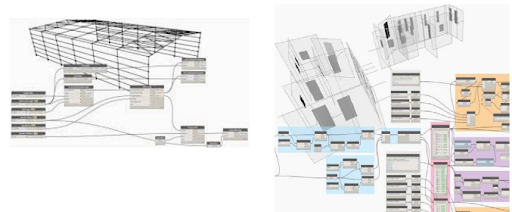
Dynamo has improved in this area, but large graphs can become difficult to navigate and maintain. In my experience, Grasshopper offers a higher ceiling for creating structured visual programs that remain understandable after several months of development.
Winner: Grasshopper
Round 4: Lists vs trees
Dynamo uses list-based data structures that fit naturally with Revit and the Revit API. Levels and lacing provide an accessible way to control how lists interact.
Grasshopper uses data trees. They can be more difficult to understand at the beginning, but they are extremely powerful when working with nested geometry and large datasets.
I would not say that trees are always better than lists. They solve different problems.
For typical Revit data processing, Dynamo lists often feel more logical. For geometric workflows involving floors, zones, structural systems, façade panels, or repeated nested elements, Grasshopper trees can provide much more control.
Result: Draw
Round 5: Custom components
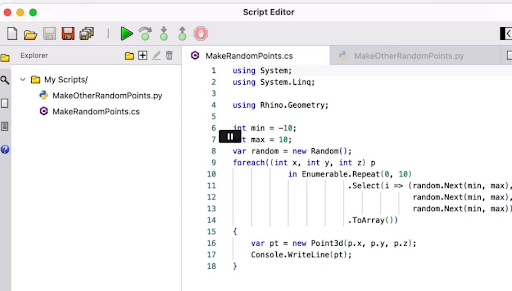
Both platforms can be extended using Python and C#. Both allow users to create reusable components and package repeated logic into tools that others can use.
Grasshopper gives you a very clean environment for editing scripted components. Inputs and outputs can be added, renamed, and reorganized quickly. It is also possible to develop full plugins when a workflow grows beyond a standard Grasshopper definition.
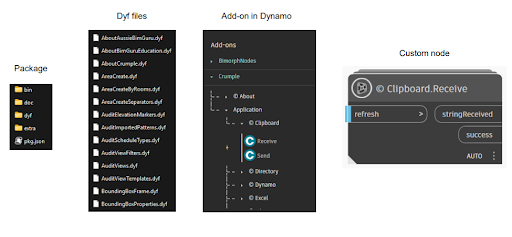
Dynamo has an advantage when it comes to publishing and distributing packages. Its integrated package manager makes it relatively easy to create, upload, update, and deploy custom nodes.
Grasshopper offers a better component editing experience. Dynamo offers a more direct route to package deployment.
Result: Draw
Round 6: Community and ecosystem
Grasshopper has a large, passionate, and highly creative community. Many AEC professionals use Rhino specifically because they want access to Grasshopper. The number of specialist plugins and connections available through the ecosystem is one of its biggest strengths.
Dynamo has a more focused Revit and Autodesk community. For someone already working inside that environment, it can feel more accessible and easier to introduce within a company.
Grasshopper has greater scale and diversity. Dynamo has a more concentrated Revit-first audience.
Both platforms have active forums, learning resources, package managers, and experienced users willing to share their knowledge.
Result: Draw
Round 7: Environmental tools
Grasshopper clearly won because of tools such as Ladybug and Honeybee. They provide mature workflows for climate analysis, daylight studies, solar radiation, energy modelling, and environmental design.
Environmental analysis is technically possible with Dynamo, but it usually requires significantly more work. Even relatively simple solar studies can require custom Python logic that is already available in established Grasshopper plugins.
Rhino.Inside.Revit makes this even more valuable. Revit users can access the Grasshopper environmental ecosystem without abandoning their Revit project.
For climate, solar, daylight, and environmental performance studies, Grasshopper is the tool I would choose.
Winner: Grasshopper
Round 8: Cross-software integration
Its greatest advantage is that it does not belong to only one software ecosystem. Grasshopper connects with Revit, Tekla Structures, Archicad, FEM software, fabrication tools, GIS platforms, point-cloud applications, and many other AEC programs.
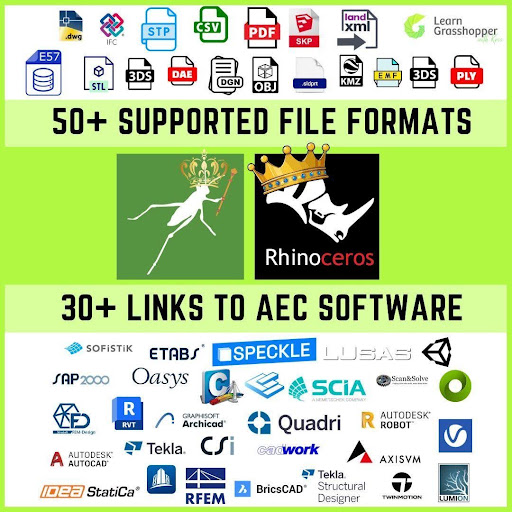
Dynamo is strongest within Autodesk products, particularly Revit and Civil 3D. This can be an advantage when a company works almost entirely within the Autodesk ecosystem.
Dynamo also offers useful out-of-the-box connections, including straightforward Excel workflows. However, when the objective is to move data between multiple design, analysis, BIM, and fabrication platforms, Grasshopper is generally more open and flexible.
Winner: Grasshopper
Round 9: Generative design
Galapagos is integrated directly into Grasshopper and makes it possible to turn a parametric workflow into an optimization process with relatively little additional setup.
More advanced tools such as Wallacei support multi-objective optimization and the exploration of larger design spaces.
Dynamo has Autodesk Generative Design, but its flexibility and performance are affected by the same geometric limitations that appear elsewhere in Dynamo. It can be useful for selected Revit workflows, but it does not provide the same freedom as the Grasshopper ecosystem.
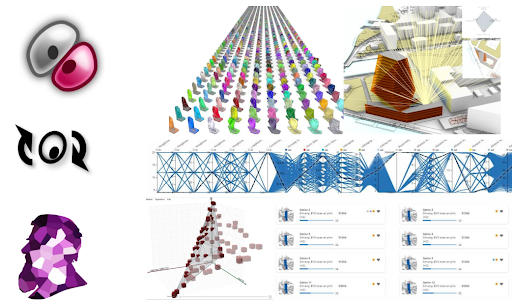
For testing design alternatives, optimizing parameters, and building generative workflows, Grasshopper remains my preferred platform.
Winner: Grasshopper
Round 10: File sharing and accessibility
Dynamo Player is one of its strongest features. It allows people who do not know Dynamo to run scripts without opening or understanding the complete graph.
That is extremely valuable for company-wide deployment. A computational designer can create a tool and make it available to architects, engineers, and BIM coordinators through a simple interface.
Grasshopper Player exists, and there are additional tools for building custom interfaces and sharing definitions. However, Grasshopper Player is less central to the ecosystem and is still unknown to many users.
Grasshopper often works best when the user actively works on the canvas. Dynamo is particularly good at turning a graph into a small function that other Revit users can run.
Winner: Dynamo
Final score: Grasshopper 15, Dynamo 11
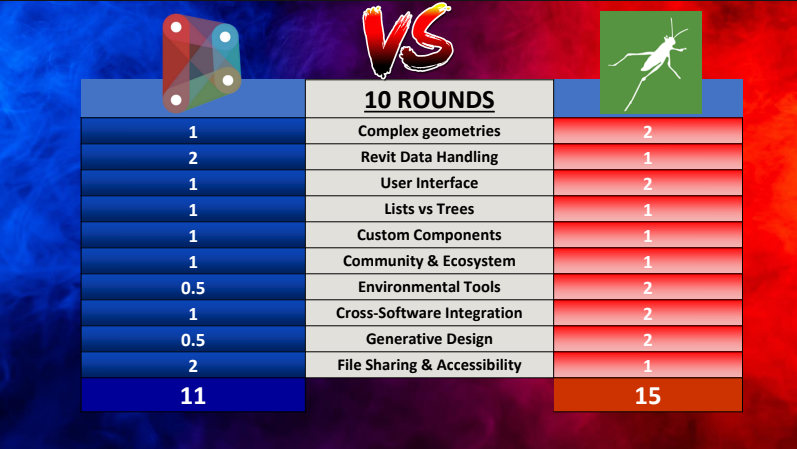
Grasshopper won the battle with 15 points against Dynamo’s 11.
As the person standing in the Grasshopper corner, I was naturally happy with that result. However, the score does not mean every Revit user should stop using Dynamo.
Dynamo remains an excellent choice for Revit-native data handling, simple automation tools, and workflows that need to be distributed to a wider Revit team.
Grasshopper becomes the stronger choice when the workflow depends on complex geometry, environmental analysis, generative design, computational design, or connections with software outside the Autodesk ecosystem.
My conclusion after the ten rounds is simple:
Choose the tool that fits the workflow. Start with the software that your colleagues are already using.
For many Revit users, Dynamo is the easiest place to begin. However, when your work starts reaching beyond standard Revit data processing, Grasshopper gives you another level of flexibility.
The most capable computational designers do not treat Dynamo and Grasshopper as rival religions. They understand both and select the right one for each project.
Ready to start with Grasshopper in Revit?
Reading comparisons is useful, but the real progress begins when you apply Grasshopper to your own Revit workflows.
Our upcoming Grasshopper in Revit Training is designed for architects, structural engineers, BIM coordinators, MEP designers, bridge designers, drafters, and other AEC professionals who want to automate repetitive Revit work.
You will learn how to automate practical tasks such as:
- creating views, sheets, tags, and dimensions
- editing parameters across many Revit elements
- loading and placing families using parametric rules
- working with complex geometry inside Revit
- connecting Revit with powerful tools outside the Autodesk ecosystem
The training is based on practical AEC case studies, and no previous programming experience is required.
Join the Grasshopper in Revit waiting list to receive free learning materials, updates about the upcoming edition, and priority information when registration opens.